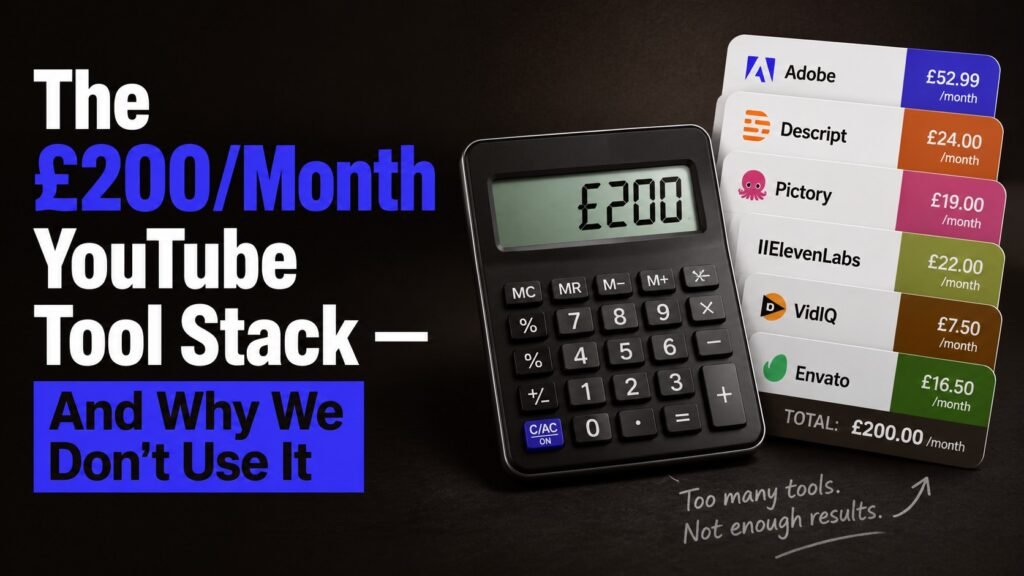
The £200/Month YouTube Tool Stack — And Why We Don’t Use It
Faceless YouTube · 12 min read
Every YouTube guru in 2026 is selling the same lie: that you need to spend roughly £200 a month on AI tools to compete in the faceless YouTube space. It’s an oddly specific number that keeps appearing, and once you start looking for it, you’ll see it everywhere — in YouTube videos, in newsletters, in those “ultimate AI stack” infographics that get retweeted by people who almost certainly don’t run channels.
Here’s the actual breakdown they push. We’ve seen this exact stack, or one within £20 of it, recommended on six different “best AI tools for faceless YouTube” guides in the last month:
- ChatGPT Plus — £16/month (for scripts)
- ElevenLabs Creator — £18/month (for voiceovers)
- Pictory Professional — £37/month (for video assembly)
- Descript Creator — £19/month (for editing)
- VidIQ Boost — £16/month (for SEO and analytics)
- Canva Pro — £11/month (for thumbnails)
- InVideo AI Plus — £20/month (for AI-generated B-roll)
- Submagic — £16/month (for animated captions)
- HeyGen Creator — £19/month (for AI avatars, if you do that format)
- Epidemic Sound Personal — £11/month (for music)
That’s £183/month. Add in the one-off “lifetime deal” courses that every guru pushes, and a couple of optional extras like Riverside or Munch, and you’re at £200 comfortably. Some stacks creep to £250+ once you upgrade to “Pro” tiers; everyone insists you’ll outgrow the cheaper plans within a month.
We’ve watched dozens of new creators commit to this stack on day one. We’ve watched almost all of them stop publishing by month three. The £200/month stack isn’t the path to a working channel. For most people, it’s the path to quitting before the channel ever has a chance.
Here’s why we use a £37 stack instead — and when the £200 stack might actually be the right answer for you.
What’s actually wrong with the £200 stack
The problem isn’t that any individual tool in it is bad. Most of them are genuinely good products. The problem is what spending £200/month does to a brand new channel.
It creates a false sense of progress. Subscribing to seven tools feels like building a business. It isn’t. It’s spending £200/month, which is a different thing entirely. The work that builds a channel — picking a niche, writing scripts people actually want to watch, learning what your specific audience responds to — none of it requires those seven tools. You can do all of it with a free ChatGPT account and 8-hour-old YouTube tutorials.
It creates pressure to “make it work.” When you’re spending £200/month, you can’t quietly experiment with a niche for three months and decide it’s not for you. The subscriptions are bleeding you. So you push through with a niche you’re not sure about, publishing content you’re not proud of, because the alternative is admitting you’ve lost £600 on tools for a channel that didn’t pan out. The £200/month stack turns niche-validation from a low-stakes experiment into a high-stakes commitment.
It creates dependency before you’ve earned it. Pictory and InVideo are real tools that solve real problems — for creators who already know what they’re doing. For a beginner, they’re a way to skip the thinking. You feed in a script, and Pictory hands you back a video that looks like every other Pictory video on YouTube. Visually, the channel is indistinguishable from thousands of others that use the same tools. Tools should compress your workflow, not produce your creative decisions. The £200 stack does both, which is great for the tool vendors and bad for your channel.
The maths doesn’t work for pre-monetisation channels. A faceless channel earning £0 in months 1-12 — which is what most channels do honestly — spends £2,400 on tools across the first year. To break even after monetisation kicks in, you’d need roughly £200/month in ad revenue, which is genuinely a lot for a small channel. The £200 stack is built for channels that already earn. It actively makes it harder for the channels that don’t.
The £37 stack we actually use
The version we run is deliberately minimal. Every tool earns its place by replacing a real workflow bottleneck — not by replacing thinking we should be doing ourselves.
- ChatGPT Free or Claude Free — £0/month (for scripts, prompts, planning)
- ElevenLabs Starter — £4/month (for voiceovers with commercial rights)
- Kling AI Standard — £8/month (for AI-generated B-roll when stock footage isn’t enough)
- CapCut Pro — £8/month (for editing — does what Descript does, plus more, for a third of the price)
- Canva Free — £0/month (Canva Free does everything Canva Pro does for individual thumbnails)
- Pixabay/Pexels — £0/month (for free stock video — covers 90% of B-roll needs)
- YouTube Studio analytics — £0/month (does what TubeBuddy and VidIQ do for free, with less noise)
That’s £20/month for the core. Add Epidemic Sound (£11/month) if you actually need licensed music — most soundscape channels don’t. Add Murf AI (£15/month) if you need multi-voice projects or fast voice editing — most channels don’t.
The full possible stack tops out at around £37/month. The minimum viable version starts at £4.
We’ve published 30+ videos with this stack. The bottleneck has never been the tools.
What you actually need at each stage
Stage 1: Pre-niche (the first 5 videos). Use free tools entirely. ChatGPT Free or Claude Free for scripts. CapCut is free for editing. Pixabay for B-roll. Canva Free for thumbnails. Total cost: £0. The point of stage 1 isn’t to produce polished videos. It’s to find out whether you actually like making them. Roughly half the people who start a faceless channel hate the work itself by video #3. The £200 stack doesn’t fix that — it just makes you £600 poorer when you quit.
Stage 2: Niche selected (videos 5-20). Add ElevenLabs Starter (£4/month) for commercial-rights voiceovers and CapCut Pro (£8/month) for the workflow features that compound across videos — transitions, captions, basic motion graphics. Total cost: ~£12/month. By video 20, you’ll know whether your niche works.
Stage 3: Publishing weekly (videos 20-50). Now you have real data. YouTube Studio shows you what’s working. Maybe add Kling AI (£8/month) if your format needs AI-generated visuals. Add Epidemic Sound (£11/month) if music matters and you’ve outgrown free libraries. Total cost: ~£25-35/month. This is the realistic upper bound for most channels.
Stage 4: Monetised (videos 50+). You’re earning. The maths changes. If TubeBuddy or VidIQ would save you 2 hours a week and you’re earning £200/month from the channel, the £20/month subscription is genuinely worth it. If Descript saves 30 minutes per video and you’re publishing weekly, £19/month pays for itself. Spending on tools when you have revenue is a different decision than spending on tools when you don’t.
When the £200 stack actually makes sense
We don’t want to pretend there’s never a case for it. There is. But it’s narrow and worth being honest about.
If you’re running multiple channels at scale. Three channels publishing weekly is 12 videos a month, and at that volume, the tools that compress your workflow earn back their cost in saved time. Pictory makes sense for a creator producing 30+ videos a month across several niches. It doesn’t make sense for someone producing 4 a month on one channel.
If your time costs more than the tools. If you’re a working professional earning £40/hour in your day job, an hour saved per video by using Descript instead of CapCut is worth £40. The £19/month subscription is trivially worth it. This stops applying the moment you’re a beginner with more time than money, which describes most people starting a channel.
If you’ve validated the niche and the format. If you’ve published 30 videos, you know your niche is right, you know your format works, and you’ve identified that a specific tool would meaningfully speed up production, buy it. The constraint is the validation, not the spending.
If you’re producing for clients, not yourself. The economics flip entirely when you’re charging clients £500/video. Then the £37 vs £200 decision is about output quality and turnaround time, not personal cash flow. Buy whatever makes the work better.
For everyone else — solo creators on their first channel, working through the first year, trying to figure out whether this thing works for them — the £200 stack is a tax on optimism. It feels like commitment. It’s actually just an expense.
The honest conclusion
The £200/month tool stack exists because the people selling those tools are very good at marketing them. Every guru gets an affiliate commission. Every “ultimate stack” infographic is a payment funnel. None of them is evil for doing this — affiliate marketing is a legitimate business, and we use it on this site too. But the recommendations are skewed by commissions in ways that don’t serve a beginner’s actual interests.
What serves a beginner’s interests is publishing consistently for six months. To publish consistently for six months, you need to enjoy the work, have time to do it, and not be burning cash you can’t justify. The £200 stack works against all three of those things.
Start with the £37 stack. Add tools when specific bottlenecks make them necessary, not when a YouTube guru tells you to. By month six, you’ll have data telling you exactly what to invest in next — and a channel still in business to invest in.
Want the actual £37 tool stack as a PDF? It’s part of the free Hidden Hustles Starter Kit — three guides, no upsells, no surprise course at the end. Download it free, no email-burning required.
Some tools mentioned in this article (ElevenLabs, Kling AI, CapCut, Epidemic Sound, Murf, VidIQ) are affiliate partners — we earn a small commission if you sign up via our links. We explicitly disclose all affiliate relationships, and our recommendations don’t change based on commissions. ChatGPT, Claude, Pictory, Descript, InVideo, Submagic, HeyGen, TubeBuddy, and Canva are not affiliated with us. See our affiliate disclosure for more.