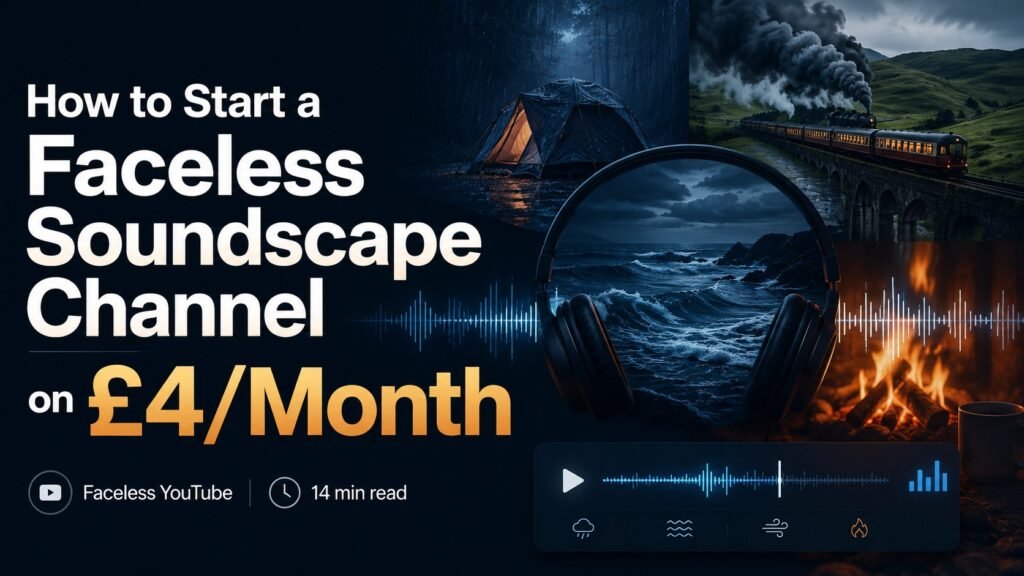
How to Start a Faceless Soundscape Channel on £4/Month
Faceless YouTube · 14 min read
Soundscape channels are the quiet success story of faceless YouTube. While everyone else is chasing AI narration trends and trying to crack the “explainer” niche, soundscapes have built audiences in the millions on a format that hasn’t fundamentally changed since 2018: long ambient audio over minimal visuals. Rain on a tent. A train rolling through the countryside. Ocean waves. A crackling fire.
The format has three things going for it. The audio works as content; people genuinely listen for hours, which means your watch time per video is enormous, and the algorithm loves you. The visuals don’t need to compete; most of the runtime is black screen or a single looping image, so production costs stay low. And the niche is genuinely useful; people use these videos for sleep, focus, and anxiety relief, which means an engaged audience that keeps coming back.
What it doesn’t have going for it is fast growth. Soundscape channels build slowly. A new one typically sees its first 1,000 subscribers somewhere between months 4 and 9. The first 10,000 happens in months 12 to 24. Channels that go viral early are rare; channels that compound steadily over two years are the norm.
We’re building one right now. This is the actual stack we use, £4/month, and how each tool earns its place. If you’re considering starting a soundscape channel, this is the honest version of the “what do I need to buy” question.
The £4/month stack
The whole thing fits on one line:
ElevenLabs Starter — £4/month.
That’s it. Everything else is free.
Here’s the full picture:
- ElevenLabs Starter – £4/month, used for any spoken intro the video needs (typically 30-60 seconds at the start: “Settle in for eight hours of…”)
- CapCut Free — £0/month, for editing and assembling the final video
- FFmpeg — £0/month, for stitching looped audio and extending to 8 hours
- Audacity — £0/month, for cleaning up and mastering audio
- Pixabay — £0/month, for free B-roll footage when needed
- Pexels — £0/month, same purpose as Pixabay, different library
- YouTube Studio analytics — £0/month, all the data you need for the first 6 months
- Canva Free — £0/month, for thumbnails (the free tier does everything you need for a single thumbnail per video)
- ChatGPT Free or Claude Free — £0/month, for titles, descriptions, and tags
Total: £4/month. There is no smaller realistic budget for a soundscape channel intending to monetise eventually. If you want to launch at £0, drop ElevenLabs and let your videos start with audio directly (no spoken intro) – that’s a genuinely valid choice, too.
The optional add-ons, in order of when you might genuinely need them:
- Kling AI – £8/month, for AI-generated B-roll if you want unique visuals for the first 30 seconds of each video instead of looped stock footage. Worth adding around video 10-15 once you know your visual style.
- Epidemic Sound – £11/month, only if you can’t find the soundscape source audio you need for free. Most soundscape niches (rain, ocean, fire, train) have abundant free options.
That brings the upper bound to £23/month if you add both. The starting point is £4.
What you’re not buying
Worth spelling out what’s deliberately not on the list, because every “best AI tools for YouTube” article will push these:
- No Pictory, no InVideo AI, no Synthesia. Soundscape channels don’t have scripts to convert to video – they have hours of ambient audio over minimal visuals. AI video assembly tools solve a problem you don’t have.
- No Descript. You’re not editing dialogue. CapCut Free does everything you need.
- No TubeBuddy or VidIQ. YouTube Studio’s free analytics show you everything that matters for the first 50+ videos. Add a paid SEO tool only when you can’t tell what’s working from Studio alone – for soundscapes, that point comes later than for most niches.
- No HeyGen, no Submagic, no fancy thumbnail tool. Soundscape thumbnails are simple – usually a moody single image with the title overlaid. Canva Free does this beautifully.
- No ChatGPT Plus. The free tier writes titles, descriptions, and tags fine. The Plus features (file analysis, code interpreter, longer context) aren’t relevant for soundscape production.
Skipping these isn’t deprivation. They’re the wrong tools for the job. Buying them would slow you down, not speed you up.
What the £4 buys you
ElevenLabs Starter at $5/month (£4 at current rates) is genuinely the only paid subscription a soundscape channel needs. Here’s specifically why:
It unlocks commercial rights. The Free tier of ElevenLabs is genuinely good for testing, but its terms don’t permit monetised content. You can use it for personal projects, but YouTube monetisation is commercial use. Starter is the cheapest tier that gives you the legal right to monetise.
It gives you enough credits for soundscape work. Soundscape videos typically need 30-90 seconds of spoken content per video – a short intro setting the scene, maybe a closing word. The Starter’s 30,000-character limit covers roughly 25-30 short intros per month. More than enough for weekly publishing.
The voice quality is genuinely indistinguishable from a human voice. For 30-60 seconds of “settle in for eight hours of vintage train sounds,” ElevenLabs produces a voice that listeners will accept as a calm human narrator. They’re not paying attention; they’re settling in for sleep. The voice just needs to not be jarring. ElevenLabs clears this bar easily.
The voices are stable. Pick a voice, save it as a preset, and every video for the next two years uses the same voice. Listeners build familiarity with it. This matters more than people realise – consistency is part of how soundscape channels build audience.
If you genuinely want to skip the £4 and run on £0/month: just don’t include spoken intros. Open straight on the visuals, fading to black, then audio. It’s a slightly different feel but completely viable. We chose to include intros because they make the channel feel curated rather than algorithmic.
The actual production workflow
For anyone considering starting one of these channels, here’s the workflow we use to produce a single 8-hour soundscape video. Total time: roughly 4-6 hours of active work for the first video, dropping to 1-2 hours per video once you have templates.
Step 1: Source the audio (30 min). For a vintage train video, search Pixabay, Freesound.org, and Zapsplat for “vintage train,” “steam train,” “train interior,” and “wheels on tracks.” Download 5-8 different stems of 30 seconds to 3 minutes each. Free, monetisable, no attribution required for the platforms we recommend.
Step 2: Layer and loop in Audacity (45 min). Layer the stems on separate tracks. Adjust volumes so no single sound dominates. Loop each track at slightly different lengths so the combination never feels obviously repetitive. Master the final mix to -16 LUFS (the YouTube sweet spot for sleep content).
Step 3: Export 10 minutes of audio (5 min). That 10-minute file is your “middle.” It’ll loop to fill the 8-hour runtime later.
Step 4: Create the intro visuals (45-90 min). Generate 8-15 short B-roll clips using either Pixabay/Pexels stock or Kling AI for AI-generated footage. Assemble them in CapCut to a 60-second sequence, ending with a fade to black. Add the spoken intro audio (from ElevenLabs) on top. Add a text card at the end: “Settle in. The visuals end here, so nothing competes with the sound.”
Step 5: Generate the black middle file via FFmpeg (5 min). A single command produces an 8-hour black video file:
ffmpeg -f lavfi -i color=c=black:s=1920x1080:r=30:d=28800 -c:v libx264 -tune stillimage -pix_fmt yuv420p black-8hours.mp4Tiny file size, ~400MB.
Step 6: Assemble in FFmpeg or CapCut (15-90 min). Concatenate: intro video → 8 hours of black → outro (if you have one). Loop the 10-minute audio underneath the whole thing. We’ve documented the reusable batch script for doing this assembly in one command — it’s a one-time setup that makes every subsequent video take 5 minutes.
Step 7: Export (2-8 hours). This is the longest single step, but it doesn’t need you watching. Set it running overnight. The output file will be 1-8GB, depending on quality settings.
Step 8: Thumbnail + upload + description (30 min). Canva is free for thumbnails. Title following soundscape conventions (we’ll cover this in another article). Description optimised for the keywords people actually search. Upload to YouTube. Wait 1-3 hours for HD processing.
Total active time: 4-6 hours for video 1. By video 5, the templates exist, your workflow has tightened, and each new video takes about 1-2 hours of your time.
The realistic numbers
The honest part most articles skip:
A new soundscape channel typically sees:
- First 100 subscribers: months 2-4
- First 1,000 subscribers: months 4-9
- First 10,000 subscribers: months 12-24
- Monetisation (1,000 subs + 4,000 watch hours): usually around months 8-14
Watch hours accumulate quickly on soundscape channels because the videos are 8 hours long, and people genuinely listen for that long. Subscriber counts grow slower than watch hours because most listeners are passive – they hit play and fall asleep without subscribing. This is the format’s strange dynamic: huge watch time, modest subscriber counts, decent monetisation potential once you cross the threshold.
Realistic revenue once monetised: £20-200/month for a small channel (under 50,000 subscribers in this niche), £200-2,000/month at the mid-range (50-200k subs), and meaningful income only at the larger end (200k+ subs). The £4/month stack pays for itself many times over once monetisation kicks in. The risk isn’t financial loss – it’s the time you’ll spend producing 30-50 videos before the channel reaches monetisation.
This is why the £4/month stack is the right answer. If the channel never reaches monetisation – and roughly half of soundscape channels don’t – you’ve spent £48 over a year on tools. If it does, you’ve made back that £48 within the first week of ad revenue. The risk-to-reward ratio of starting cheap is mathematically obvious.
The £200 stack version of the same project? You’d spend £2,400 over the year. To break even, the channel needs to earn roughly £200/month from monetisation – which is genuinely possible but takes 12-18 months to reach. You’d be running at a £2,000+ loss for the first year. That’s a different kind of risk entirely.
What to do this week
If you’re considering a soundscape channel, here’s the practical starting sequence:
- Pick your niche. Rain, ocean, fire, train, thunderstorms, white noise, brown noise, forest sounds, café ambience, library sounds. The biggest channels run multiple niches; the best new channels focus on one until they hit the first 1,000 subscribers.
- Sign up for ElevenLabs Starter ($5/month for commercial rights and 30k characters of voice generation).
- Download CapCut Free, FFmpeg, and Audacity. All free. CapCut for assembly, FFmpeg for the technical bits, Audacity for audio mastering.
- Source one audio stem. Pixabay or Freesound. Get one 60-second clip of your chosen ambient sound.
- Produce a 1-minute test video. Don’t publish it. Just go through the whole workflow once with a small file. This exposes every workflow gotcha at low stakes.
- Then plan your first real 8-hour video. Now you know what’s involved.
The whole experiment costs £4 and gets you through the first month – enough to know whether you genuinely want to do this. Half the people who start a soundscape channel discover they don’t enjoy the production work. Better to find that out after £4 than after £200.
Want the actual production workflow as a PDF, plus the £4 stack, plus the 30-day launch plan? It’s all in the free Hidden Hustles Starter Kit — three guides, no upsells, no surprise course at the end.
Some tools mentioned in this article (ElevenLabs, Kling AI, Epidemic Sound) are affiliate partners — we earn a small commission if you sign up via our links. We explicitly disclose every affiliate, and our recommendations don’t change based on commissions. CapCut, ChatGPT, Claude, Canva, FFmpeg, Audacity, Pixabay, Pexels, Freesound, and Zapsplat are not affiliated with us. See our affiliate disclosure for more.