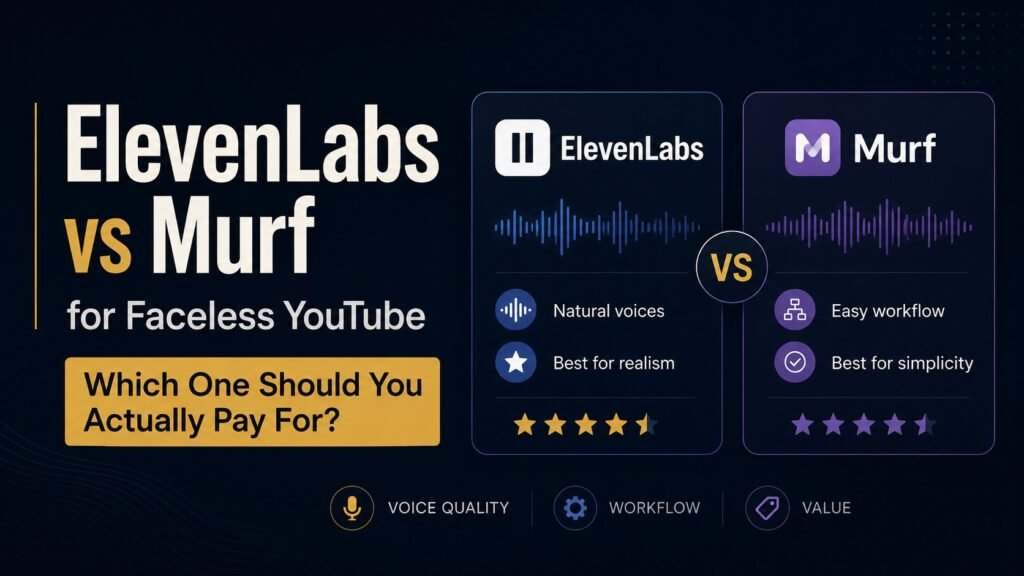
ElevenLabs vs Murf for Faceless YouTube: Which One Should You Actually Pay For?
Faceless YouTube · 15 min read
If you’ve spent any time researching AI voiceover tools for a faceless YouTube channel, you’ve narrowed it down to the same two names everyone narrows it down to: ElevenLabs and Murf.
The internet is full of comparisons of these two. Almost all of them are useless, because they’re either (a) ranked lists from sites earning a commission from whichever tool clicks first, or (b) shallow feature tables that compare every feature equally, regardless of whether you’d actually use it.
This isn’t either of those. We use ElevenLabs day-to-day for our soundscape channel. We’ve tested Murf against it specifically for the faceless YouTube use case. They are both legitimately good tools, with real differences that matter for some workflows and don’t matter at all for others. Here’s the actual comparison, with the honest answer to “which one should I pay for?”
Short version: for soundscape and narration-light channels, ElevenLabs Starter at $5/month wins. For explainer-style channels with heavy narration and multi-voice scripts, Murf Creator at $19/month (annual) is the better tool. The reasons are specific.
The two tools, in one paragraph each
ElevenLabs is the AI voice generator the industry quietly recognises as the most realistic. Founded in 2022, they’ve focused obsessively on making synthetic voices sound human – emotional inflection, breath patterns, natural pacing. Their commercial pricing starts at $5/month for the Starter tier, which is the cheapest credible commercial-rights AI voice on the market. The interface is functional but unremarkable; the voices are not.
Murf is a voice generator that grew out of corporate e-learning. Their voices are also high-quality (close to but not quite matching ElevenLabs on raw realism), but the real differentiator is the Studio – a visual editor for building multi-voice projects, with timeline control, background music, video integration, and inline editing of pacing and emphasis. Starts at $19/month (annual) for the Creator tier, $29/month if you pay monthly.
If you’ve been told these are interchangeable competitors, that’s not quite right. They’re solving different problems. The right answer depends on what kind of channel you’re building.
The honest pricing breakdown
Marketing pages obscure pricing. Here’s what each actually costs as of 2026:
ElevenLabs
- Free — 10,000 credits/month (~10 min of voice). No commercial rights. Useful only for testing.
- Starter — $5/month. 30,000 credits (~30 min). Commercial rights. Instant voice cloning (up to 10 voices). This is the threshold where commercial use becomes legal.
- Creator — $22/month. 100,000 credits (~100 min). Professional voice cloning. Higher audio quality (192kbps).
- Pro — $99/month. 500,000 credits (~500 min). Most creators don’t need this tier.
- Scale — $330/month. For very high volume.
Murf
- Free — 10 minutes of voice generation lifetime (not monthly). No commercial rights. No downloads. Testing only.
- Creator — $19/month (annual) or $29/month (monthly). 24 hours of voice generation per year. Commercial rights. 1 user seat.
- Business — $66/month (annual) or $99/month (monthly). 96 hours per year, or 20 hours per month on monthly billing.
- Enterprise — Custom pricing. Adds voice cloning (which Murf restricts to top tiers, unlike ElevenLabs).
The first thing to notice: the pricing models are genuinely different. ElevenLabs bills by characters (which translate roughly to time). Murf bills by hours per year. For predictable volume, Murf’s model is easier to budget. For variable volume, ElevenLabs’ model is more flexible.
The second thing to notice: Murf’s cheapest commercial tier ($19/month annual) costs nearly 4x what ElevenLabs Starter costs ($5/month). That matters at the start of a channel, when every pound is going somewhere it has to justify.
What ElevenLabs Starter actually gives you for $5
This is the tier most relevant to anyone starting a faceless channel honestly. Worth being specific about what you’re getting:
- 30,000 characters per month. That’s roughly 30 minutes of finished voice in their Multilingual v2 model, or about 60 minutes in their faster Flash model. For a weekly publishing schedule, that’s 4-8 videos worth of narration depending on length.
- Instant voice cloning, up to 10 voices. You can upload a sample of any voice (your own or anyone with permission) and ElevenLabs creates a clone usable across all your content. Most other platforms restrict this feature to higher tiers.
- Commercial usage rights. Everything you create on Starter or above is legal to monetise on YouTube, in client work, in ads, anywhere. The free tier explicitly excludes commercial use — your work must include ElevenLabs attribution if it’s free-tier.
- Standard voice quality. Stop short of the 192kbps quality on Creator and above, but the standard quality is genuinely indistinguishable from human voice for sleep content, narration, and most YouTube use cases. The quality difference only becomes audible on dedicated headphones at high volume.
For a soundscape channel, this is more than enough. A 60-second spoken intro per video, even at 4 videos per month, uses about 4-8 minutes of voice generation — well under the 30-minute cap. We’ve never come close to hitting the limit.
For a narration-heavy explainer channel publishing 15-minute videos weekly, you’d burn through 30 minutes of generation in roughly 2 videos. You’d need Creator at $22/month within a month.
What Murf Creator actually gives you for $19
The Creator tier is where Murf becomes interesting:
- 24 hours of voice generation per year. That’s an average of 2 hours per month, but you can use it unevenly — burn 6 hours in November if you’re producing a series, then nothing in December. Annual budget beats monthly budget for projects with variable workload.
- 120+ voices. A wider voice library than ElevenLabs’ standard tier, with more accents, ages, and speaking styles available out of the box.
- The Studio. This is what you’re paying for. The Studio is a timeline-based visual editor that lets you build multi-voice scripts, sync voiceovers to videos, layer background music, add pauses with precise duration, control pacing and emphasis word-by-word, and export the finished product as audio or video. ElevenLabs has nothing comparable.
- Commercial usage rights. Same as ElevenLabs paid tiers.
- No voice cloning. Murf reserves voice cloning for Enterprise tier. If you wanted to clone your own voice, ElevenLabs Starter ($5) does it; Murf requires custom pricing.
The Studio is the genuine differentiator. If your videos involve scripted dialogue between two characters, or you need fine control over pacing in a long narration, or you produce explainer videos where the voiceover and visuals have to sync precisely, Murf’s Studio saves hours per video. ElevenLabs is a voice generator; Murf is closer to an audio production environment.
The honest verdict by use case
The “which one wins?” question is the wrong question. Both tools win at different things. Here’s the real verdict by channel type:
Soundscape channels (rain, ocean, fire, ambient music) → ElevenLabs Starter
Soundscape videos need maybe 60 seconds of voice per video for the intro. The audio is genuinely simple — calm, slow, no complex pacing or multi-voice dialogue. ElevenLabs’ realism is what matters; the Studio features of Murf are wasted on a video that’s 99% audio with no narration.
Cost: $5/month. ElevenLabs Starter is the obvious answer.
Sleep-story or narration channels (calm sleep narration, audiobook excerpts, meditation guidance) → ElevenLabs Starter or Creator
Long-form narration without complex multi-voice or visual sync. The realism of ElevenLabs is the entire product. The Studio doesn’t help much here — you’re producing one long monologue, not a multi-track production.
Cost: Starter at $5 if your videos are short (under 5 minutes of narration each). Creator at $22 if you’re producing 15+ minute narrated videos weekly.
Explainer channels (educational content, listicles, breakdowns) → Murf Creator
This is Murf’s sweet spot. Explainer channels typically have a script of 1,200-2,500 words per video, sometimes with multiple voices (host + interviewee, or character A + character B), and the voiceover has to sync precisely with visuals on screen. Murf’s Studio handles all of this natively. Trying to do the same in ElevenLabs means generating the voice separately, then assembling everything in CapCut or DaVinci — workable but slower.
Cost: $19/month annual. The Studio earns its keep within the first few videos.
Multi-language localisation channels → Murf
If you want to publish the same content in English, Spanish, and Mandarin (which is a real growth strategy for some channels), Murf’s broader voice library makes language switching easier than ElevenLabs. Both support multi-language; Murf’s interface for it is better.
Channels using your own voice (cloned for consistency) → ElevenLabs
Murf’s voice cloning is Enterprise-only. ElevenLabs offers instant voice cloning from Starter ($5/month). For any creator who wants their own voice replicated across content, ElevenLabs wins by an order of magnitude on cost.
Multi-channel agency work → Murf Business
If you’re producing voiceovers for clients across multiple channels, the Murf Business plan ($66/month annual) gives you 96 hours per year and commercial rights with team collaboration features. ElevenLabs’ equivalent at this volume — Pro at $99 or Scale at $330 — is more expensive per hour of finished audio.
What the comparison tables online get wrong
Most comparison articles will tell you Murf wins on “ease of use” and ElevenLabs wins on “voice realism.” That’s a roughly accurate summary, but it misses the actual decision point.
The decision isn’t “which is better.” It’s “what kind of channel are you running?”
If you’re running a soundscape, sleep, or simple-narration channel, ElevenLabs Starter at $5 is mathematically the right answer. Anything more is paying for features you won’t use. The £14/month difference between Starter ($5) and Murf Creator ($19) compounds to £168/year — real money that could fund Kling AI for B-roll generation, or just stay in your bank account.
If you’re running an explainer, listicle, or multi-voice channel, Murf Creator at $19 is the right answer despite the higher price. The Studio features will save you 2-4 hours per video. At video #20, you’ve saved 40-80 hours of editing time. That’s worth more than the $14/month difference.
If you’re not sure which kind of channel you’re running yet — and many creators aren’t, in the first 3 months — start with ElevenLabs Starter. It’s $5. You can downgrade Murf later. You can’t get back the months you spent paying for the Studio features you weren’t using.
The honest order in which to upgrade
If we were starting a faceless channel from scratch in 2026, here’s the realistic progression:
Month 1-2: Free tools or ElevenLabs Starter ($5). Test whether you actually want to make videos. Don’t spend more.
Month 3 onward (if still publishing): ElevenLabs Starter confirmed at $5/month. Now you know you’ll use it. The commercial-rights coverage means your monetisation is legal.
Month 6 onward (if format requires Studio features): Add or switch to Murf Creator at $19/month annual. Only if your videos genuinely need multi-voice production, precise sync, or heavy editing. Most channels don’t need this.
Month 9 onward (if scaling): Consider ElevenLabs Creator at $22/month. Higher quality (192kbps), more characters, professional voice cloning. The upgrade only makes sense once you’re publishing weekly with growing watch hours.
What we wouldn’t do: pay for both tools simultaneously in your first year. Pick one based on the channel type. The £20-30/month difference matters more than you think in year one.
What’s not in this comparison
Worth being explicit about what we deliberately didn’t test:
- API performance for real-time use. Both tools have APIs, both with strengths and limitations. If you’re building a real-time conversational app, the comparison is different (and Murf’s recent Falcon model genuinely competes hard on latency). For YouTube production, this doesn’t matter — you’re generating audio in batches, not real-time.
- Localisation depth. Both support 25-30+ languages. We tested in English only. If multi-language matters to you, test both with your target language before committing.
- Voice quality across all 200+ voices. Both have voices ranging from “indistinguishable from human” to “noticeably synthetic.” Test the specific voice you’d use, not just a couple from each platform.
- Long-term enterprise use. We have no opinion on Pro/Scale/Enterprise tiers because we don’t use them. If you’re producing voice content at that volume, your decision criteria are different than this article addresses.
The shortest possible summary
If you’d asked us this in person and only had 30 seconds:
“Use ElevenLabs Starter at $5 unless your channel needs multi-voice production or precise visual sync. If it does, Murf Creator at $19 is worth the extra $14. Don’t pay for both. Don’t pay for upgrades you haven’t earned yet.”
That’s the real answer. Everything else above is just the supporting math.
Want the full faceless YouTube starter kit, including the tool stack at every price point? It’s in the free Hidden Hustles Starter Kit — three guides, no upsells, no surprise course at the end.
ElevenLabs and Murf are both affiliate partners — we earn a small commission if you sign up via our links. We disclose every affiliate explicitly, and our recommendations don’t change based on commissions. ElevenLabs is the tool we actually use day-to-day; that’s not because of the commission, it’s because of the price-to-quality ratio for soundscape work. See our affiliate disclosure for more.